
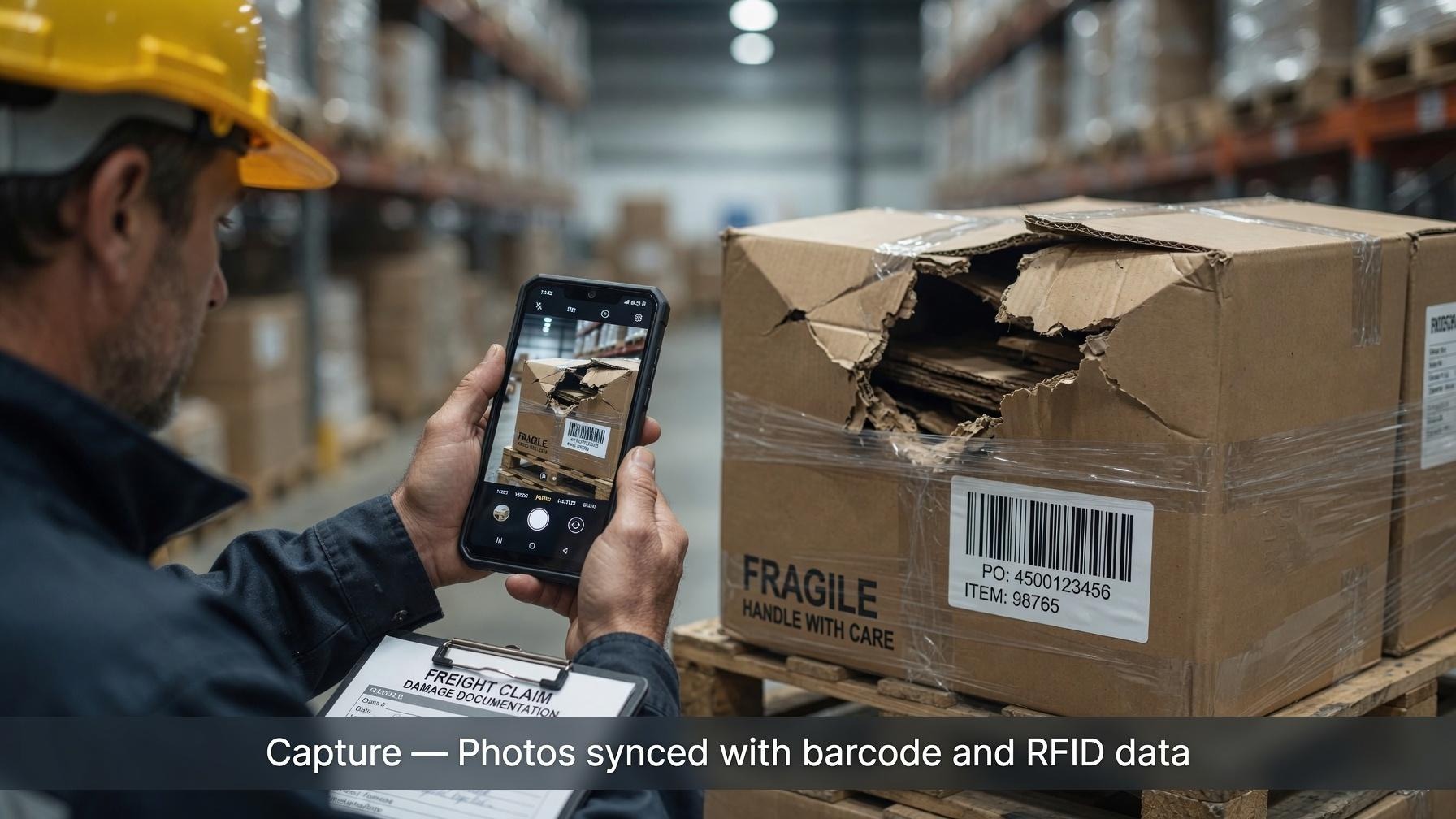
Prove the condition. Find the photo in seconds.
Mobile photos linked to the barcode, RFID tag, job, or order they belong to — so a freight claim, a quality record, or a field document is proof you can retrieve, not a file someone has to hunt for.
TallyFlow Capture
Scan or tag the ID, capture the photos, and they sync to the cloud. Search and filters bring back the set. Share it with the people who need the proof.
TallyFlow Capture was formerly PhotoTag.
Available on iOS and Android, including Zebra rugged Android handhelds.


Where teams use it
Three jobs. Same product. Each one ends with a photo you can find by the ID that matters.
Freight claims
Photograph shipment condition before it leaves, tied to the job or order ID — and to a barcode or RFID tag when that is the identifier on the freight. When a carrier or customer disputes damage or a shortage, pull the tagged photos instead of searching a shared drive.
Visual proof of pre-shipment condition, retrieved by the ID on the claim.
Quality and repair documentation
Tie inspection and repair photos to the job, order, or item ID and to a category — damage type, process stage, or whatever your team already uses to sort the work. What was seen, and what was done, stays attached to that job.
A visual quality and repair record the team can filter. Not a camera roll.
Field document capture
Photograph bills of lading, receipts, and similar field paperwork. Tag each image with the order or job ID and a category at the moment it is captured. Office and field staff search one library instead of forwarding photos through email and text.
Field documents that are searchable by the tags applied at capture, after they sync.
How it works
Scan or tag the ID
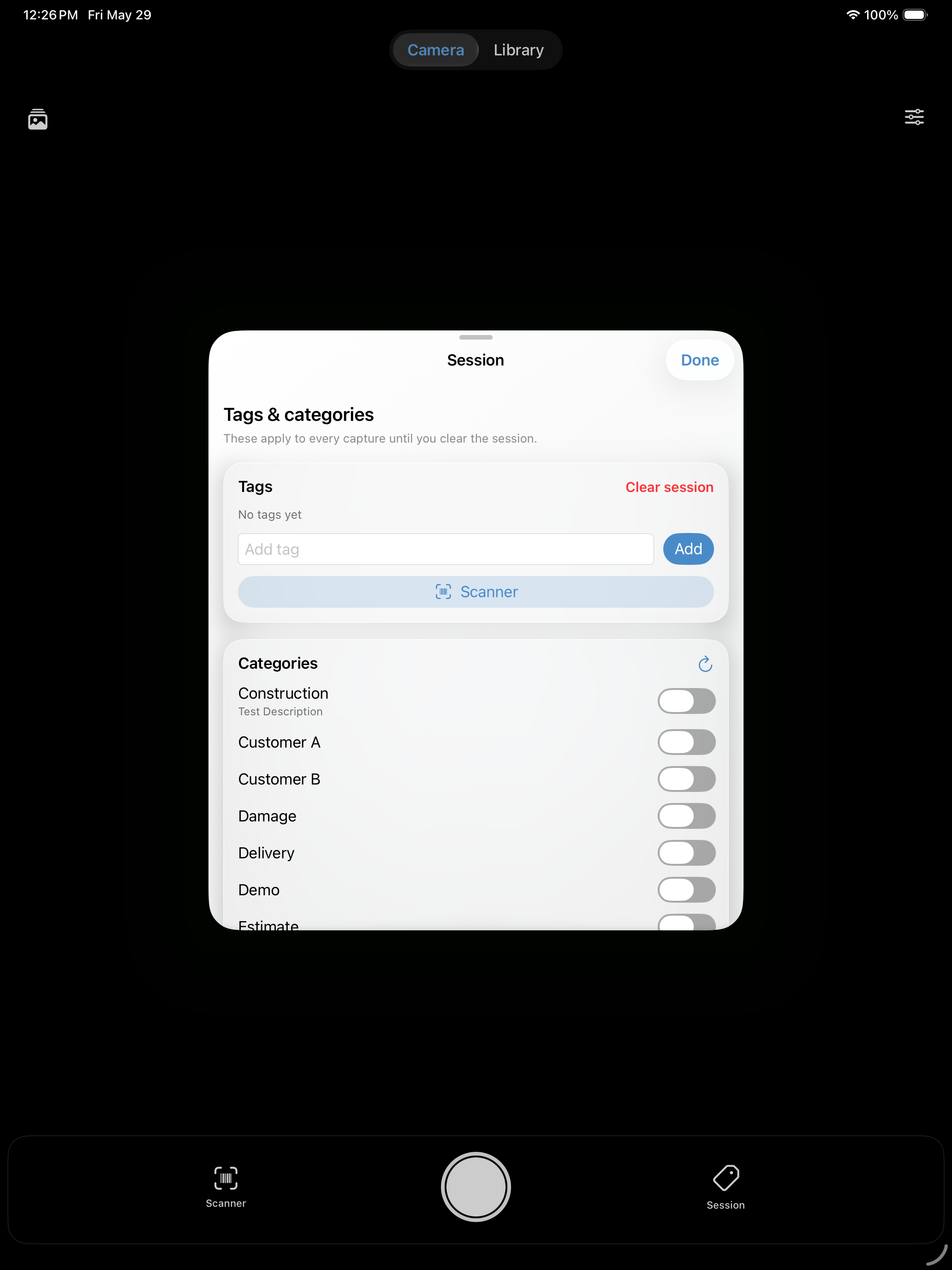
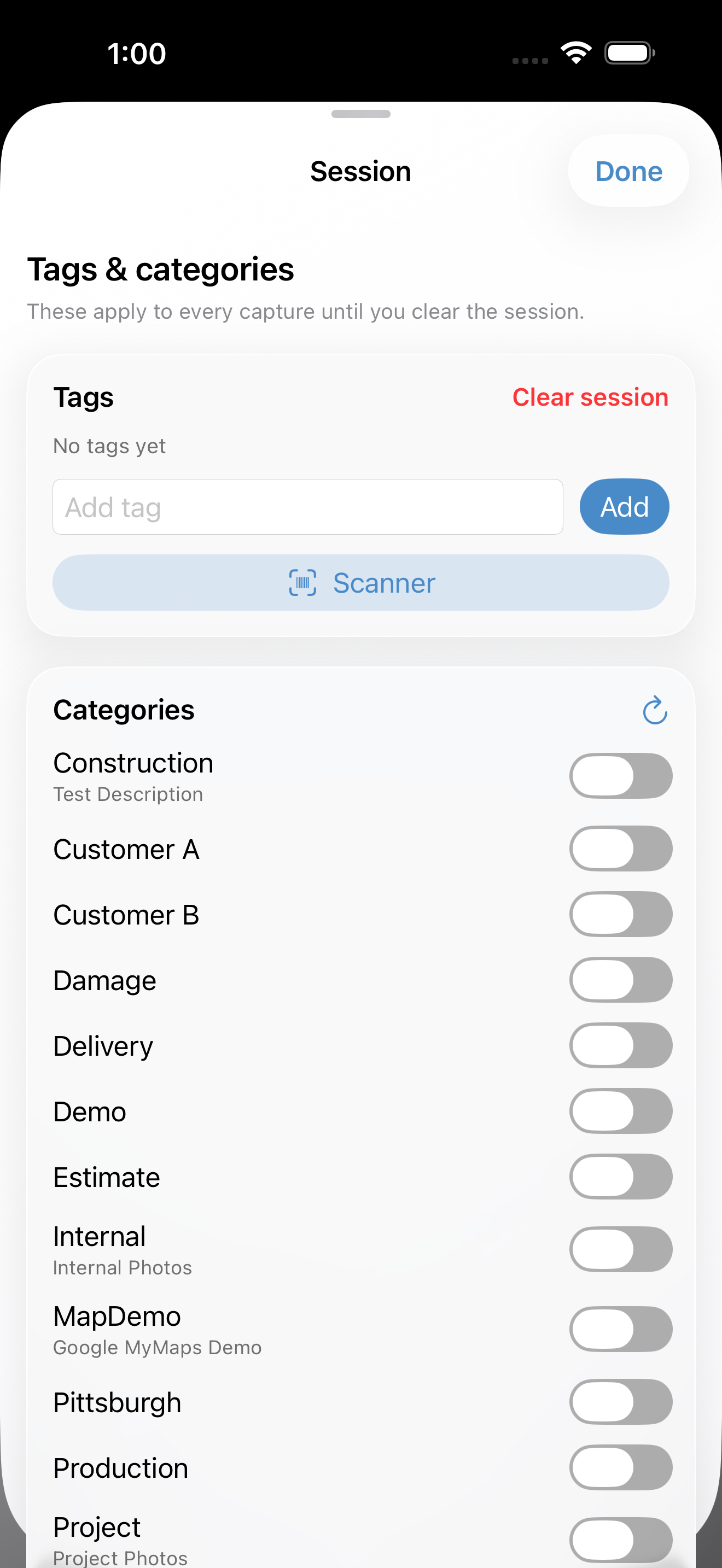
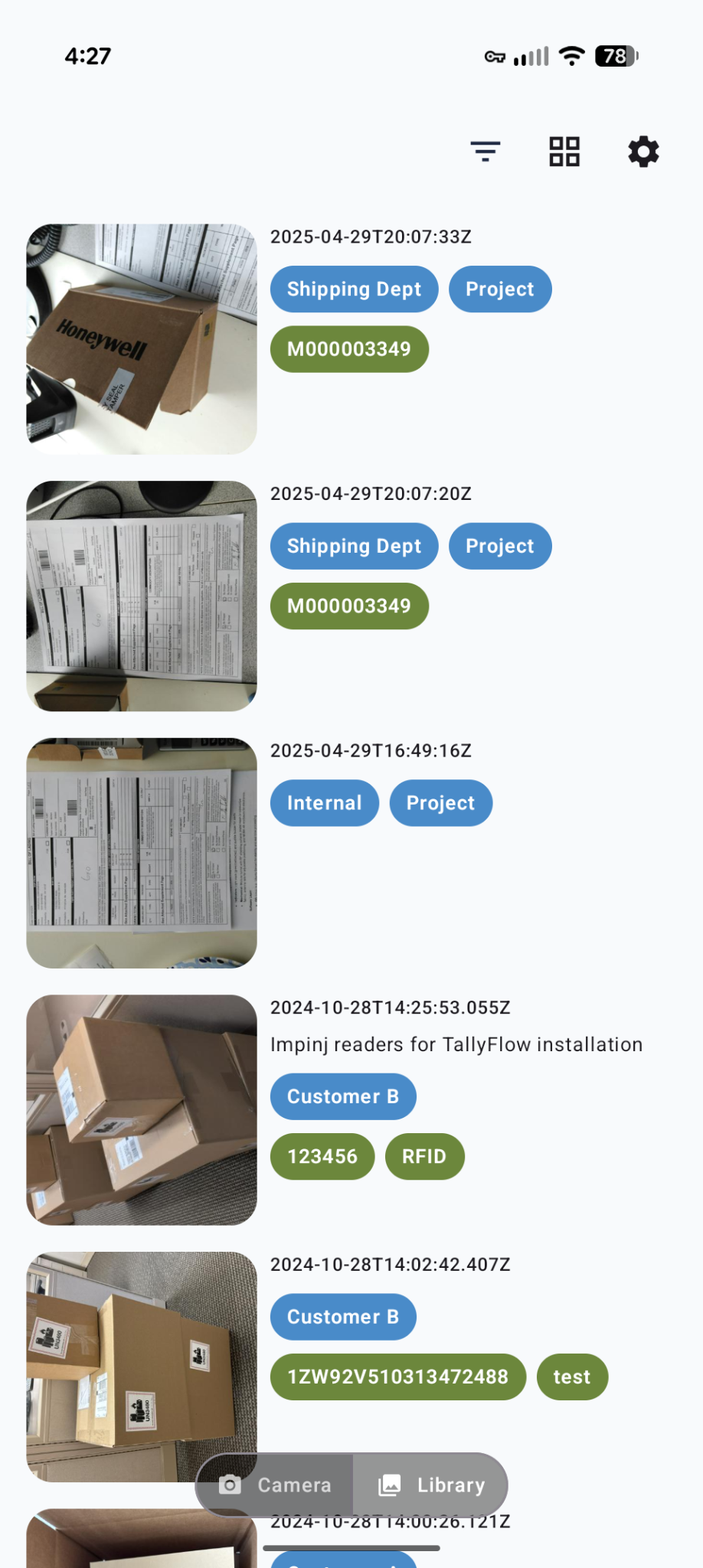
Attach the barcode, RFID tag, job or order ID, and category — the context that makes the photo findable.
Capture the photos
Take the pictures in the mobile app while that ID and category stay with the shot. Works online, or offline with later upload when connectivity returns.
Sync to the cloud
Photos leave the device and land in the shared library.
Search, filter, and share
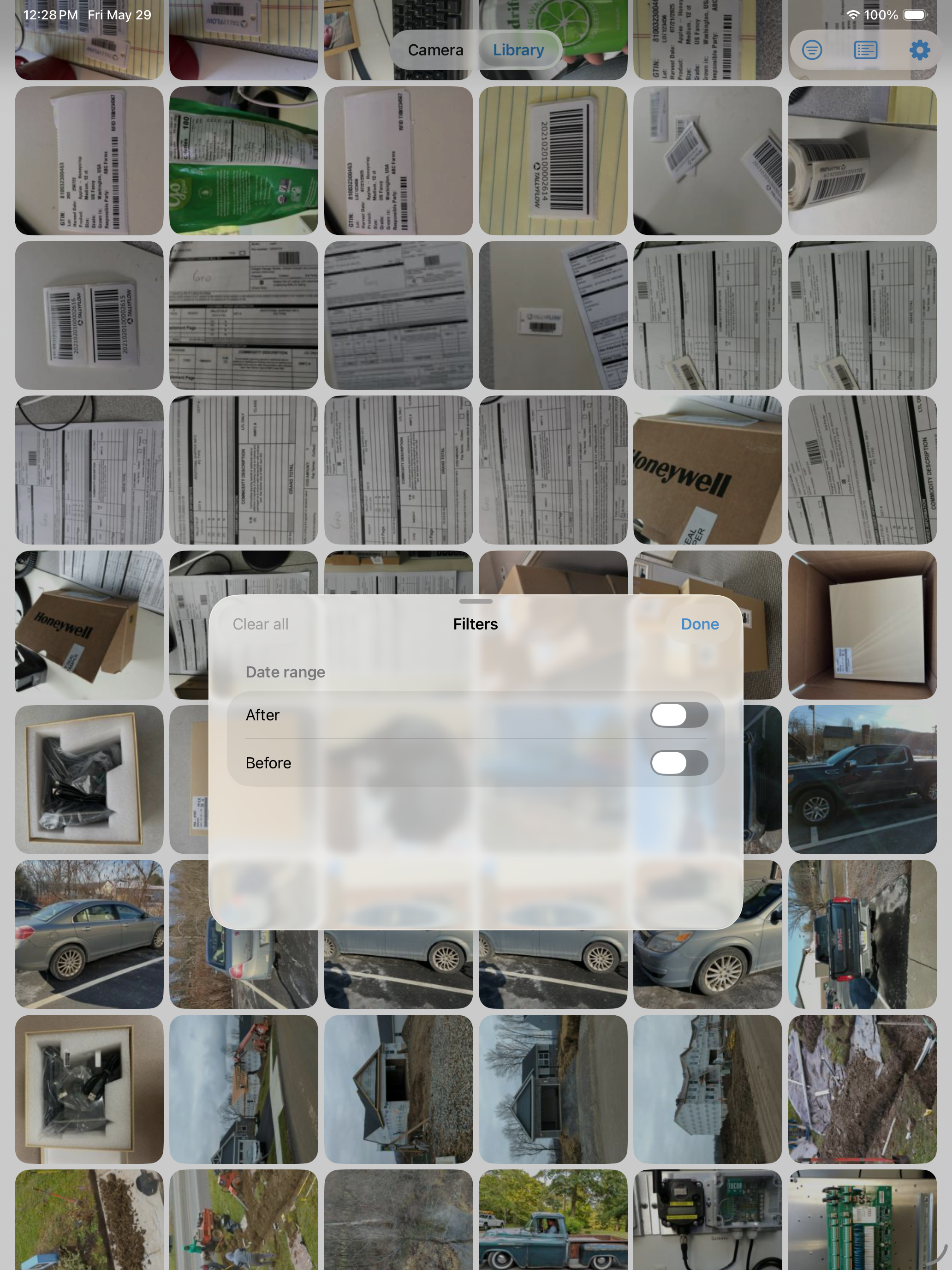
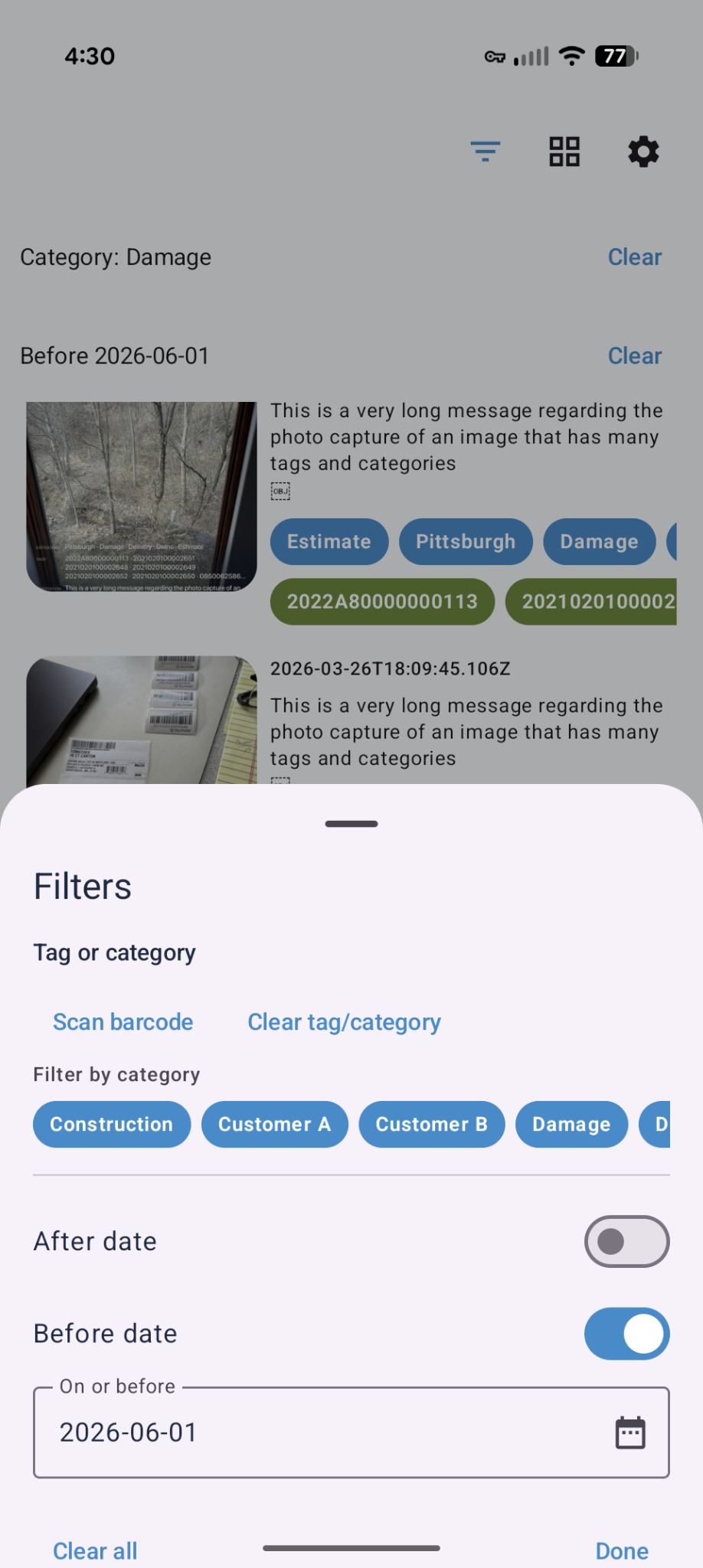
Retrieve by ID, category, and filters. Share the proof through web share collections for controlled external access. Downloading a retrieved photo set is also available when you need a local copy.
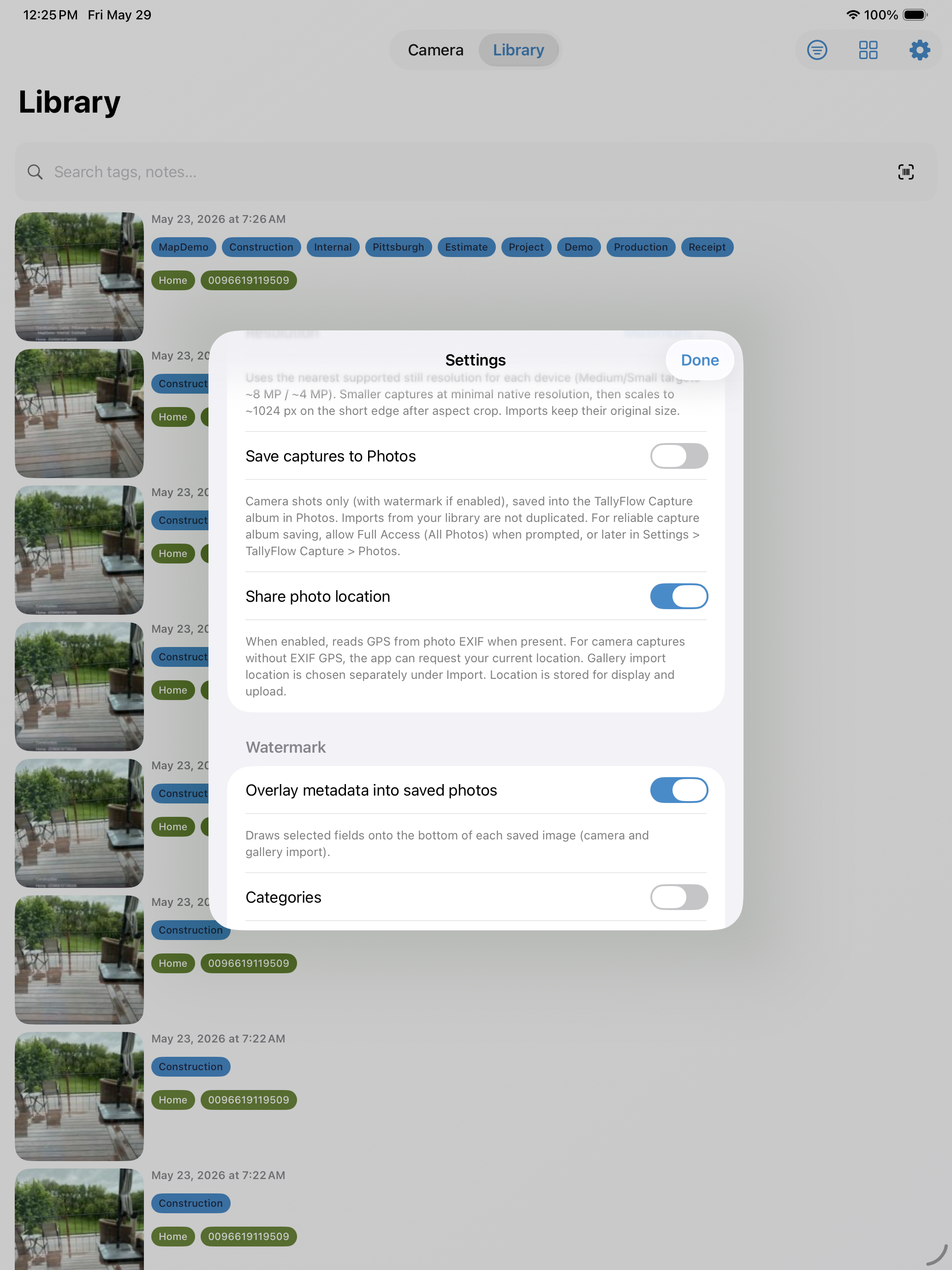
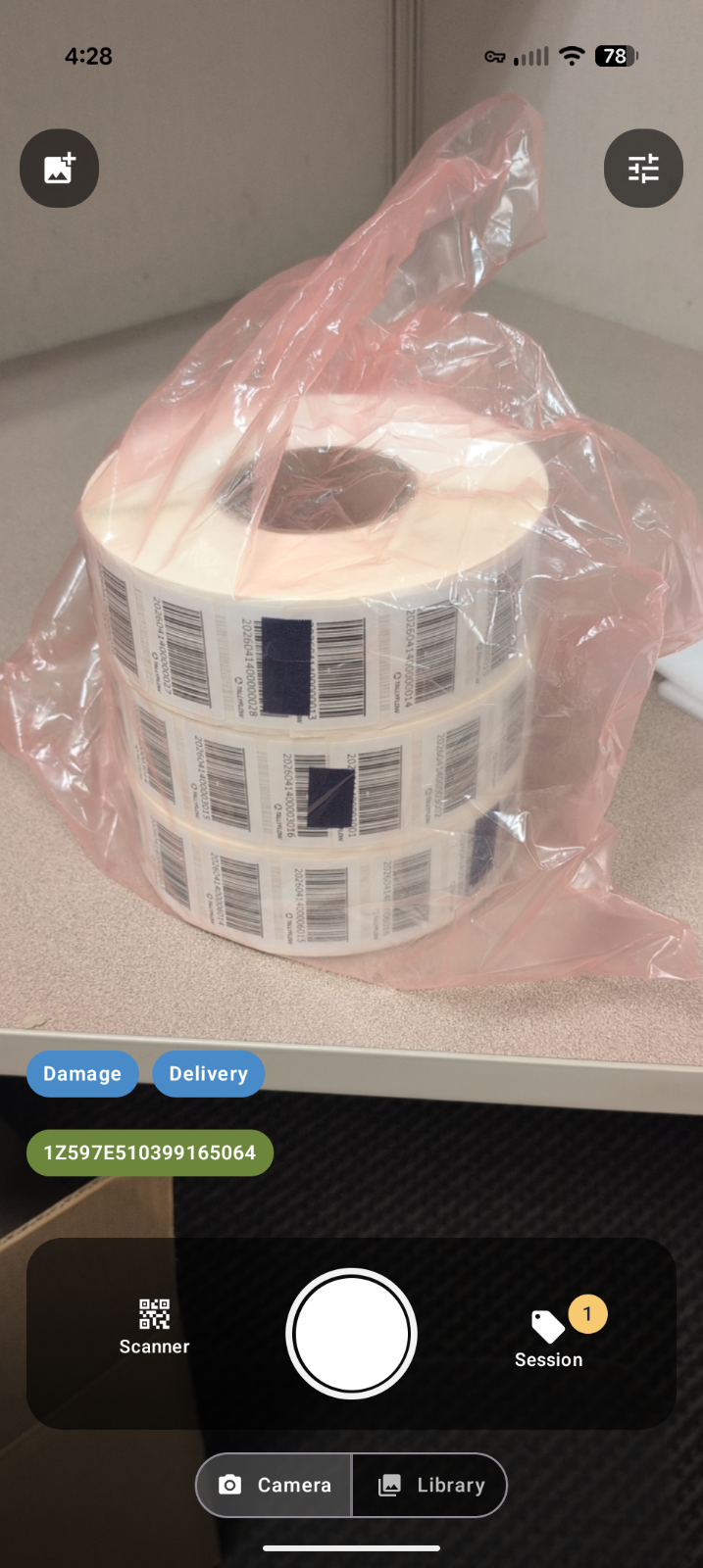
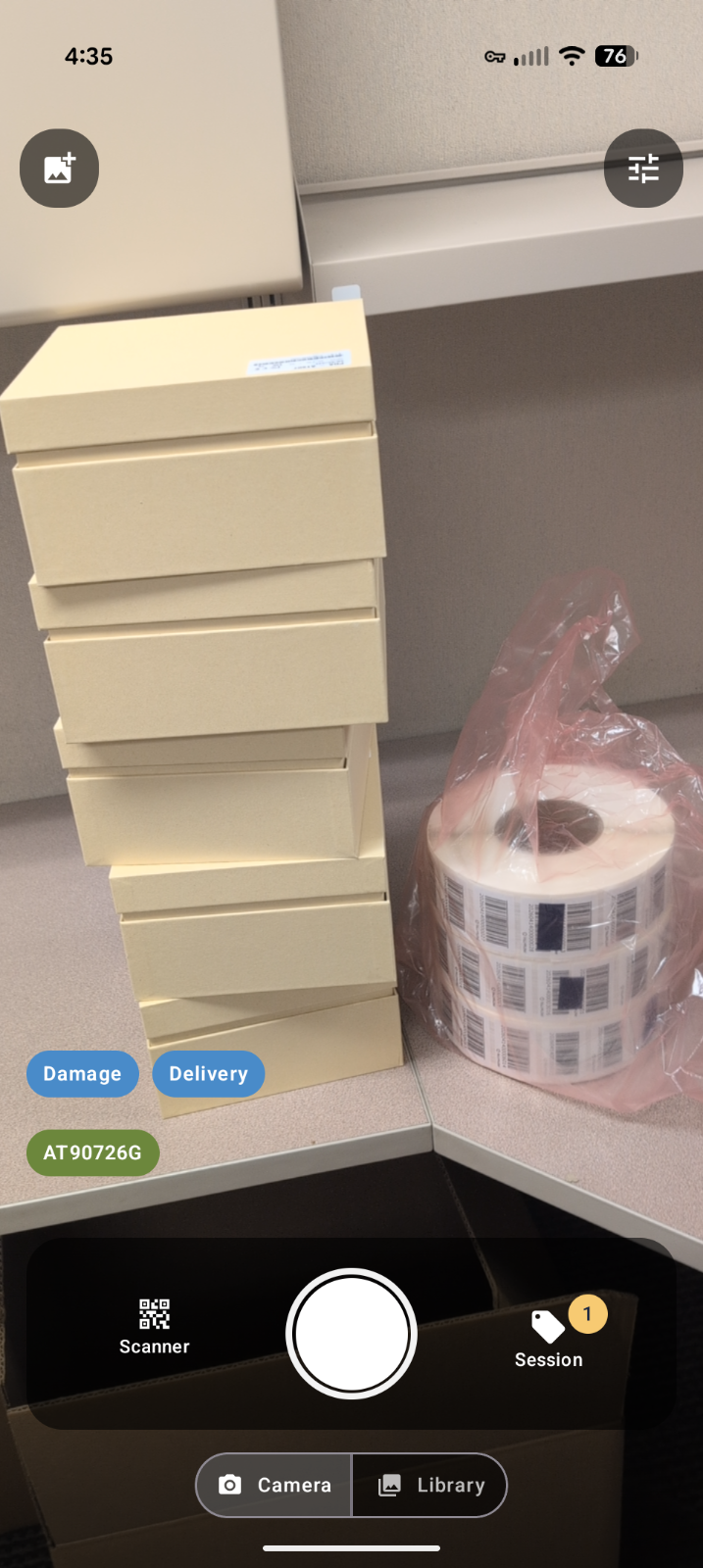
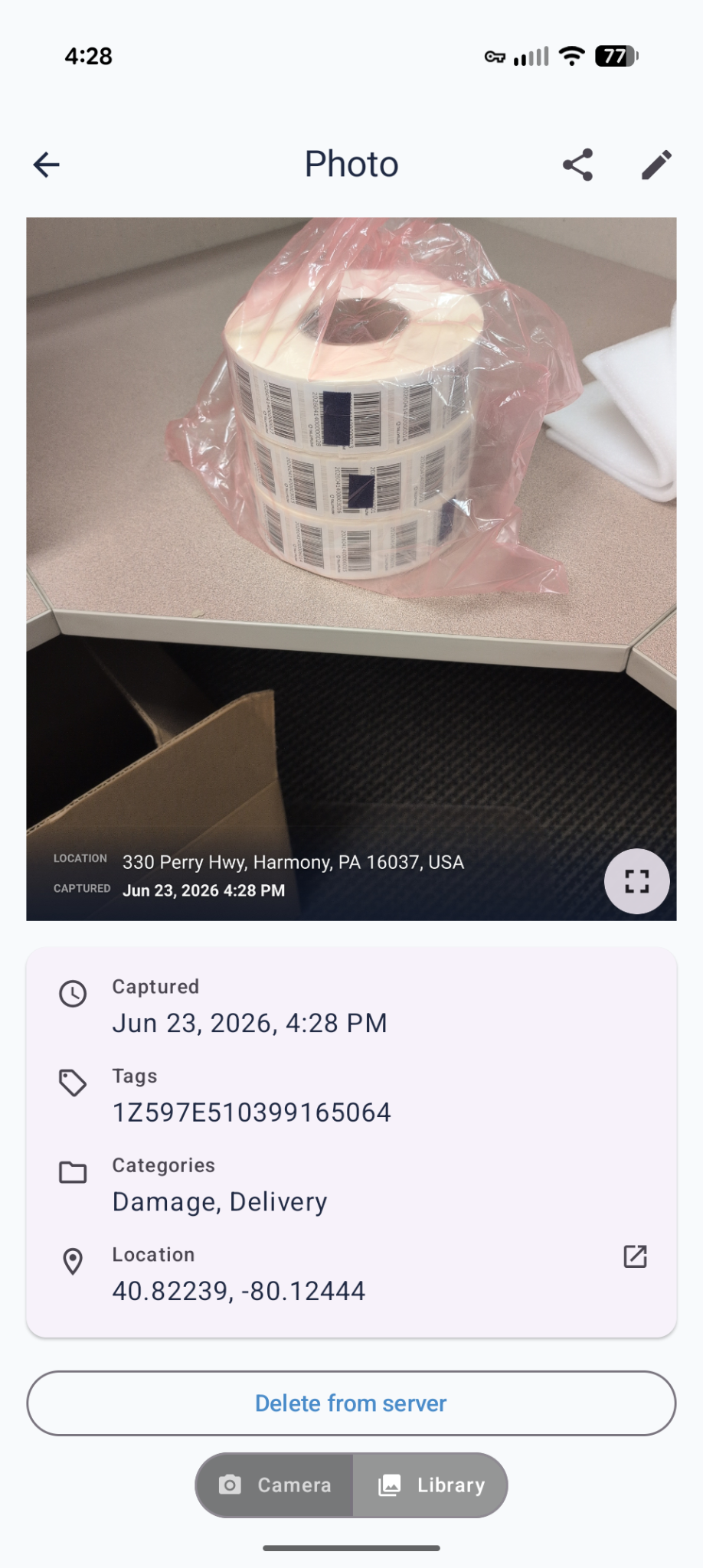
See TallyFlow Capture in Action
Screenshots from iOS and Android.
How Capture is different
Versus Box or Dropbox
Box and Dropbox store files. Capture is structured capture: the photo is taken already linked to a barcode, an RFID tag, a job or order ID, and a category. People find it by that context. They do not browse a folder someone named later.
Versus CompanyCam-class photo apps
CompanyCam-class tools are built for jobsite crew collaboration. Capture is built for industrial identifiers — barcode, RFID, and order or job IDs — and for logistics and manufacturing claims and quality documentation. It is not a crew feed and it is not a jobsite chat product.
Versus CargoShot- and LoadProof-class tools
Those products aim at the same core job: proof of shipment condition. Capture does that job, and it also links photos to barcode and RFID and covers quality, repair, and field-document capture beyond a single dock photo.
Trusted at scale
Trusted by 40+ active customers, including teams at Teknion, Madix, LGI (Lauridsen Group), Lehman Pipe, MKB Company, Northern Transformer, Sun Surveillance, Whirlpool, Hi-Tech Compressor, HKX, Stylmark, Accurate Cargo, Soleffect, Inflight Aerospace Solutions, Kuehne Nagel, and Babbitting Service.
Madix
Tens of thousands of photos per week for freight claims, quality documentation, and field operations.
Babbitting Service
Over 400 photos per day — job-tagged inspection and shipping photos that upload to the cloud in real time, on smartphones instead of lost dedicated cameras.
How customers use it
Madix
Freight claims — visual proof of shipment condition, retrieved by job or order ID
Babbitting Service (BSI)
Job inspections and shipping — 400+/day job-tagged photos; cloud upload; smartphones instead of lost cameras
Hi-Tech Compressor
Repair documentation — job-ticket photo history tagged to each work order
MKB Company
BOL / field document capture — field paperwork tagged to sales orders
Start with Capture. Add the rest when you need it.
TallyFlow Capture is its own product. Core is not required to capture photos, sync them, and search, filter, and share them. Pair it with other TallyFlow products when the workflow needs them.
TallyFlow Print
Print and encode the barcode and RFID labels those photos will point at.
TallyFlow Edge
Fixed readers, tunnels, and gates when a site needs an RFID feed. Edge is not the photo product.
TallyFlow Core
The web hub for assets, zones, and reporting. When Capture is connected, Core can show the tagged photos.
Many teams start with Capture alone — one claims process, one quality record, one field-document habit — and connect Print, Edge, or Core later.
See tagged photo proof on your own IDs.
Tell us how you document shipments, quality and repair, or field paperwork. We will walk through Capture on a short demo and talk pricing for your team.